An entry in seconds
Amount, category, account, date, note — the usual fields are already chosen. Attach a photo as proof, edit or delete it later. Swipe a bill left to copy it, category and account carried over.
 SuiYinJi

SuiYinJi is a personal ledger built around getting the record right. Open it and start — your entries stay on this device by default; stats don't drown you in numbers, budgeting isn't one formula, and money lent out or owed back gets its own place.
Bookkeeping, one small coin at a time
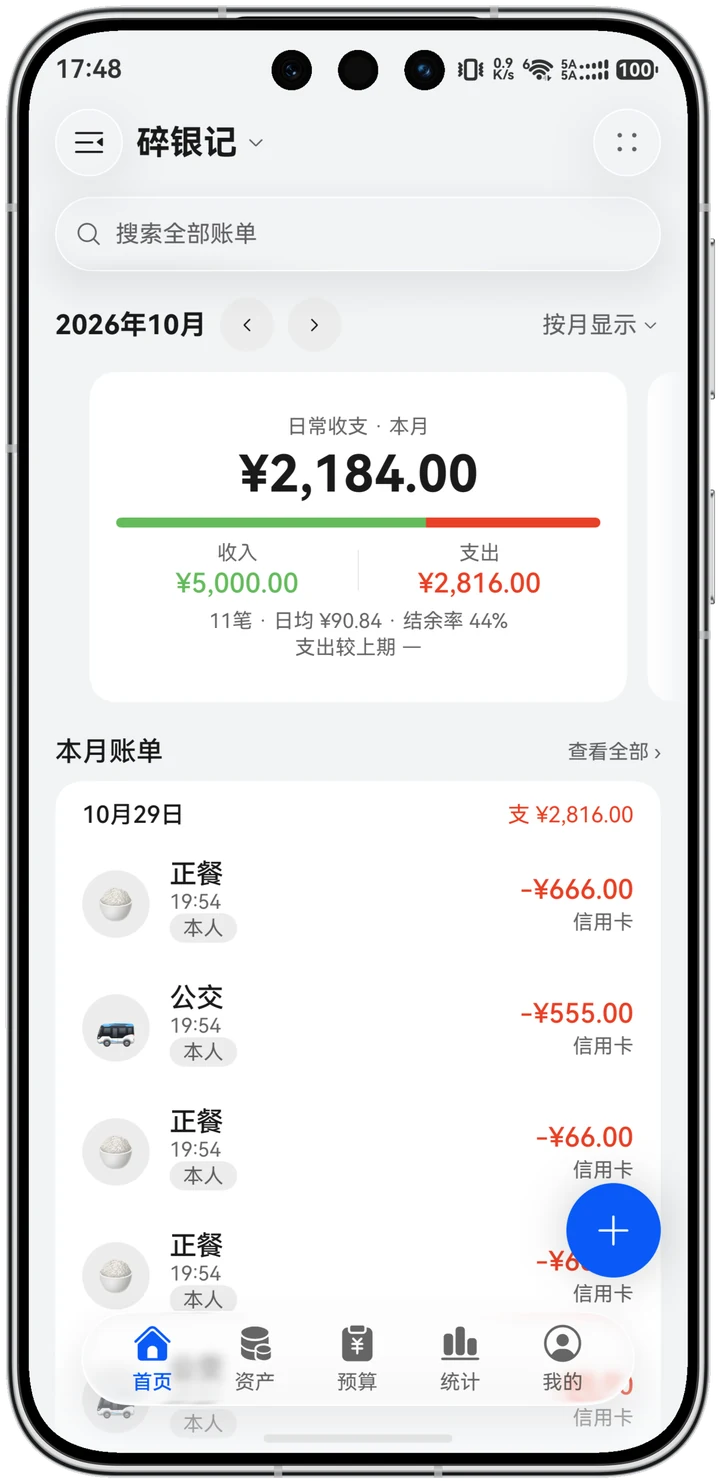
Common fields come pre-selected, so an entry takes seconds. Stats and budgets are laid out to be understood, not to show off jargon.
Amount, category, account, date, note — the usual fields are already chosen. Attach a photo as proof, edit or delete it later. Swipe a bill left to copy it, category and account carried over.
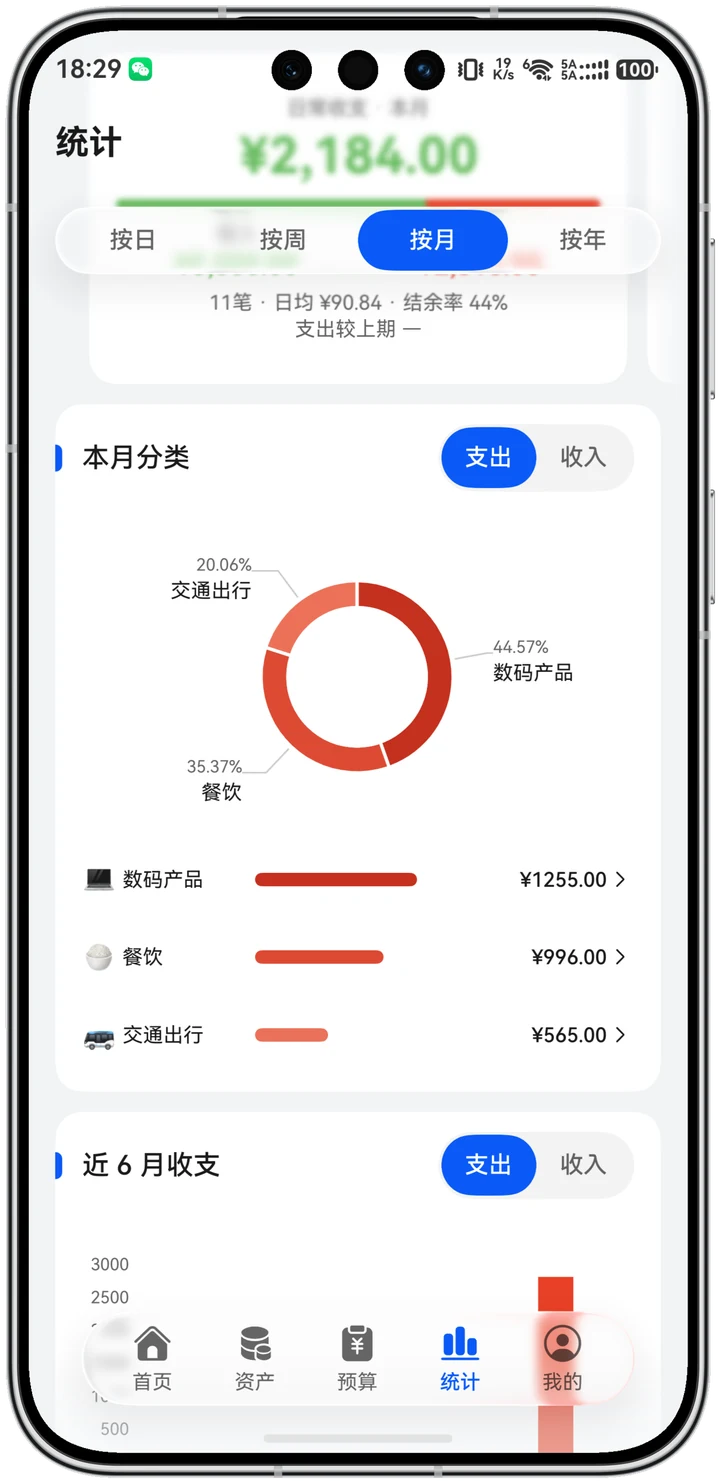
Month and year open with a summary card (income, expense, balance, daily average, month over month), then category rings and rankings, a calendar view, daily reports and a balance trend. Slice by account, tag, person or institution.
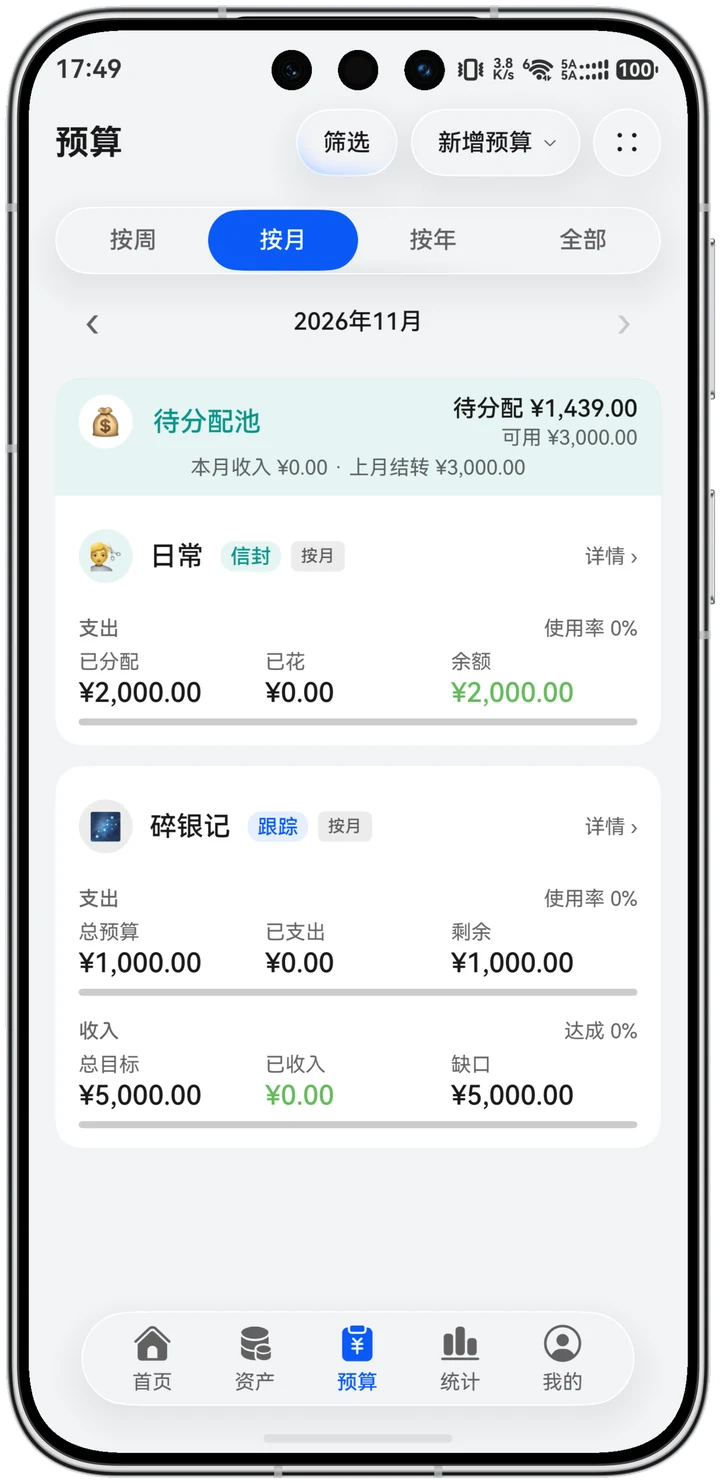
Track style watches the limit: total budget, spent, remaining and usage, with the gap flagged the moment you overshoot. Envelope style divides first: income lands in the pool, then gets allotted into category envelopes. One book, one card.
Set rent, salary or phone bills once and they post monthly. Card-bill and purchase installments post each period, and repayments can be started right from the Plan page.
Borrowed, lent, advanced, prepaid, received in advance — each in its own bucket, with per-period repayment plans. Bills are colour-coded by whether money goes into or out of the account.
Daily, travel and personal kept separate — switching a book switches the whole ledger. Pull the book drawer from the top-left of the title bar; tablets and foldables split into two panes on their own.
Some people set the expectation first, then watch execution. Others split the money first, then spend. SuiYinJi does both — one book picks one style, never mixed.
Give a category an allowance and see spent, remaining and usage at any time. Overspending shows the gap, alongside the daily average and how many days are left at this pace.
This month's income lands in the pool, gets allotted into envelopes by category, and each expense draws from its own envelope. The pool sits right on top of the envelope card.
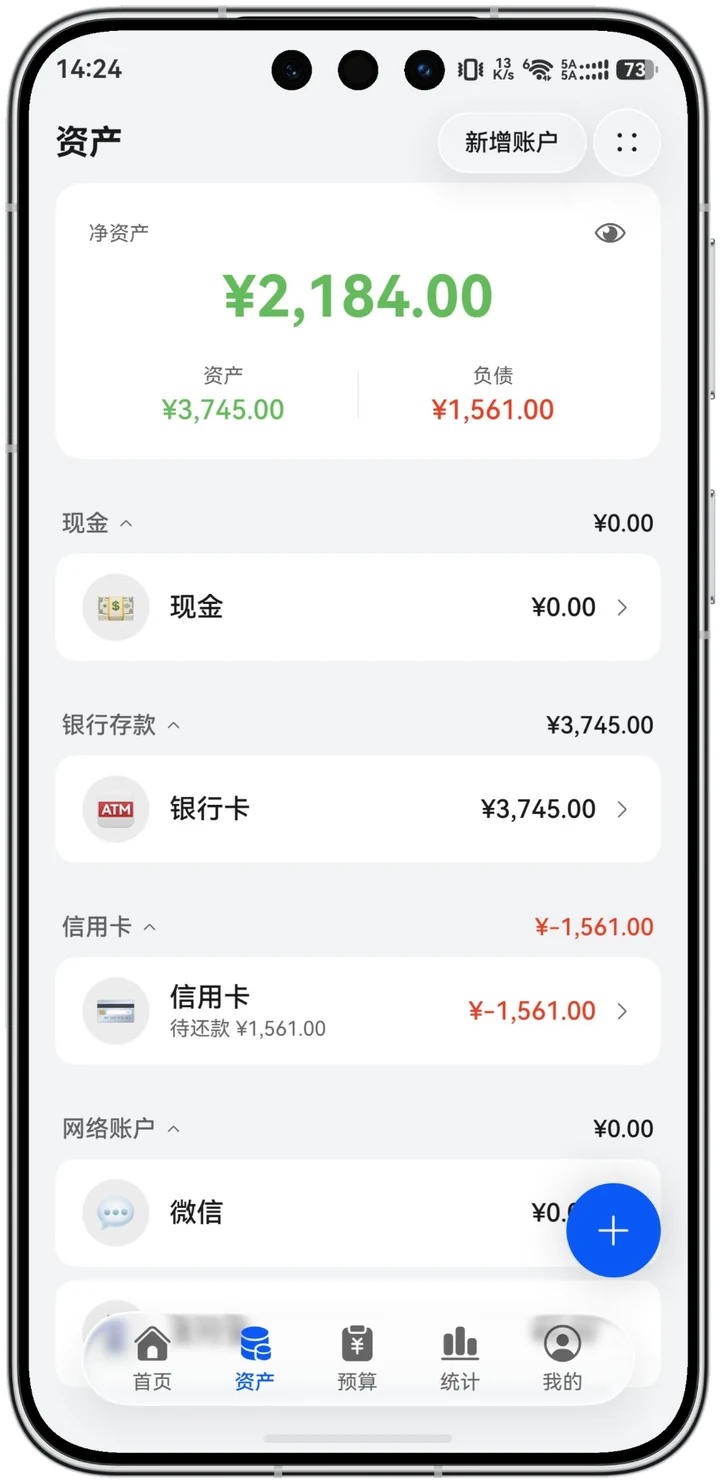
Cash, bank cards, credit cards, online accounts — grouped and listed, each group's total right beside its heading. No opening them one by one to add up.
Cloud is optional by default — and upgrades, new phones and mistakes each have a fallback.
Entries live in a local database. Every feature works without signing in; sign in with a HUAWEI ID only to sync avatar and nickname.
Before a version update or database migration a snapshot is taken (up to 3 kept). Core table rows are checked afterwards, and anything odd surfaces on the home screen.
Export your entries to a backup file any time and import them on a new phone. Older backups get the historical corrections applied automatically.
Handled by HUAWEI Cloud: runs when charging, locked, on Wi-Fi and idle. One tap from the app to system settings.
Release 1.3.10 · phone / tablet / foldable
The beta gets features first and may have bugs — install the release for daily use.
Links don't open inside WeChat or QQ — use your system browser. For in-app issues, go to Me → Feedback, or email
liangandy@petalmail.com。